
Hi!
This is not a normal post, but it is related to hacking because a friend showed me a game that I really wanna try, Grey Hack.
I am not a gamer (yes Dungeons & Dragons in the 80’s). So this is new for me. I have a laptop with NVIDIA card so I thought this would be easy to get up and running.
Grey Hack
Grey Hack is a massively multiplayer hacking simulator game. You’re a hacker with full freedom to act as you wish on a vast network of procedurally generated computers.
I had issues installing Steam. Did not work thru App Center, not downloading the deb package. Dependencies issues all the time.
So I tried this:
sudo dpkg --add-architecture i386
sudo apt install steam-installer
Resolving dependencies… Error!
Some packages could not be installed. This may mean that you have
requested an impossible situation or if you are using the unstable
distribution that some required packages have not yet been created
or been moved out of Incoming.
The following information may help to resolve the situation:
Unsatisfied dependencies:
steam-installer : Depends: steam-libs (= 1:1.0.0.83~ds-3) but it is not going to be installed
Depends: steam-libs-i386 (= 1:1.0.0.83~ds-3)
Error: Unable to satisfy dependencies. Reached two conflicting decisions:
libxml2-16:amd64 is selected for install because:

steam-installer:amd64=1:1.0.0.83~ds-3 is selected for install

steam-installer:amd64 Depends steam-libs (= 1:1.0.0.83~ds-3)

steam-libs:amd64 Depends libgl1-mesa-dri

libgl1-mesa-dri:amd64 Depends libgbm1 (= 25.2.3-1ubuntu1)

libgbm1:amd64 Depends mesa-libgallium (= 25.2.3-1ubuntu1)

mesa-libgallium:amd64 Depends libllvm20 (>= 1:20.1.0)

libllvm20:amd64 Depends libxml2-16 (>= 2.14.1)

libxml2-16:amd64 is available in versions 2.14.5+dfsg-0.2build1, 2.14.5+dfsg-0.2 but none of the choices are installable:

libxml2-16:amd64=2.14.5+dfsg-0.2build1 is not selected for install because:

steam-installer:amd64=1:1.0.0.83~ds-3 is selected for install as above

steam-installer:amd64 Depends steam-libs-i386 (= 1:1.0.0.83~ds-3)

steam-libs-i386:i386 Depends steam-libs:i386 (= 1:1.0.0.83~ds-3)

steam-libs:i386 Depends libgl1-mesa-dri:i386

libgl1-mesa-dri:i386 Depends libgbm1:i386 (= 25.2.3-1ubuntu1)

libgbm1:i386 Depends mesa-libgallium:i386 (= 25.2.3-1ubuntu1)

mesa-libgallium:i386 Depends libllvm20:i386 (>= 1:20.1.0)

libllvm20:i386 Depends libxml2-16:i386 (>= 2.14.1)

libxml2-16:i386 Breaks libxml2-16 (!= 2.14.5+dfsg-0.2)

libxml2-16:amd64=2.14.5+dfsg-0.2 is not selected for install

steam-installer:amd64=1:1.0.0.83~ds-3 is selected for install

steam-installer:amd64 Depends steam-libs (= 1:1.0.0.83~ds-3)

steam-libs:amd64 Depends libgl1-mesa-dri

libgl1-mesa-dri:amd64 Depends libgbm1 (= 25.2.3-1ubuntu1)

libgbm1:amd64 Depends mesa-libgallium (= 25.2.3-1ubuntu1)

mesa-libgallium:amd64 Depends libllvm20 (>= 1:20.1.0)

libllvm20:amd64 Depends libxml2-16 (>= 2.14.1)
apt-cache policy libxml2-16:amd64 libxml2-16:i386
The above command output showed some version difference that I need to fix between 64bit and i386.
libxml2-16:
Installed: 2.14.5+dfsg-0.2build1
Candidate: 2.14.5+dfsg-0.2build1
Version table:
*** 2.14.5+dfsg-0.2build1 100
100 /var/lib/dpkg/status
2.14.5+dfsg-0.2 500
500 http://archive.ubuntu.com/ubuntu questing/main amd64 Packages
libxml2-16:i386:
Installed: (none)
Candidate: 2.14.5+dfsg-0.2
Version table:
2.14.5+dfsg-0.2 500
500 http://archive.ubuntu.com/ubuntu questing/main i386 Packages
If you try to install a another version that the 64 bit like this:
apt install libxml2-16:i386You will uninstall everything DO NOT DO THAT!

Do installation with the same versions:
sudo apt install \
libxml2-16:amd64=2.14.5+dfsg-0.2 \
libxml2-16:i386=2.14.5+dfsg-0.2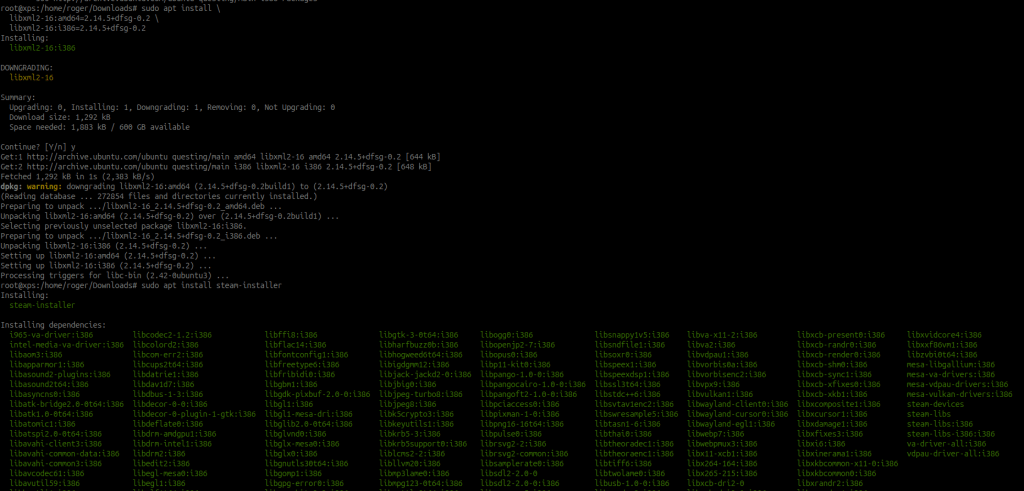
The I downloaded the latest beta and installed it. Or just go to https://store.steampowered.com/about/ and download the steam client. This one is optional.
sudo apt-get install ./steam_latest-beta.deb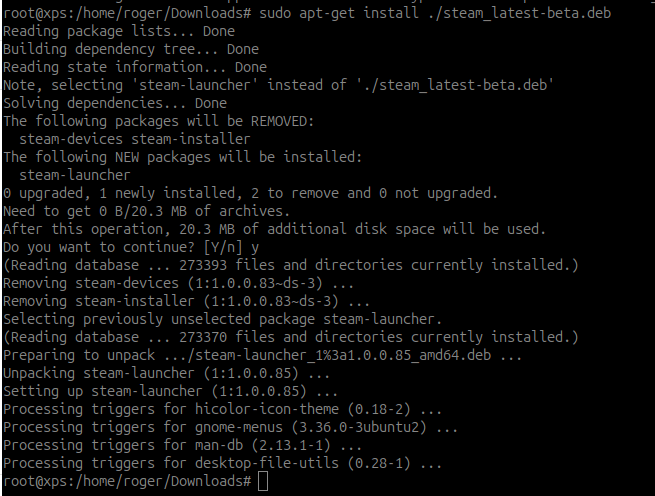
So in the end after google,bing,chatgpt below solved it:
sudo dpkg --add-architecture i386
sudo apt install libxml2-16:amd64=2.14.5+dfsg-0.2 libxml2-16:i386=2.14.5+dfsg-0.2
sudo apt install steam-installer
sudo apt-get install ./steam_latest-beta.deb
Finally!

Ready to play!
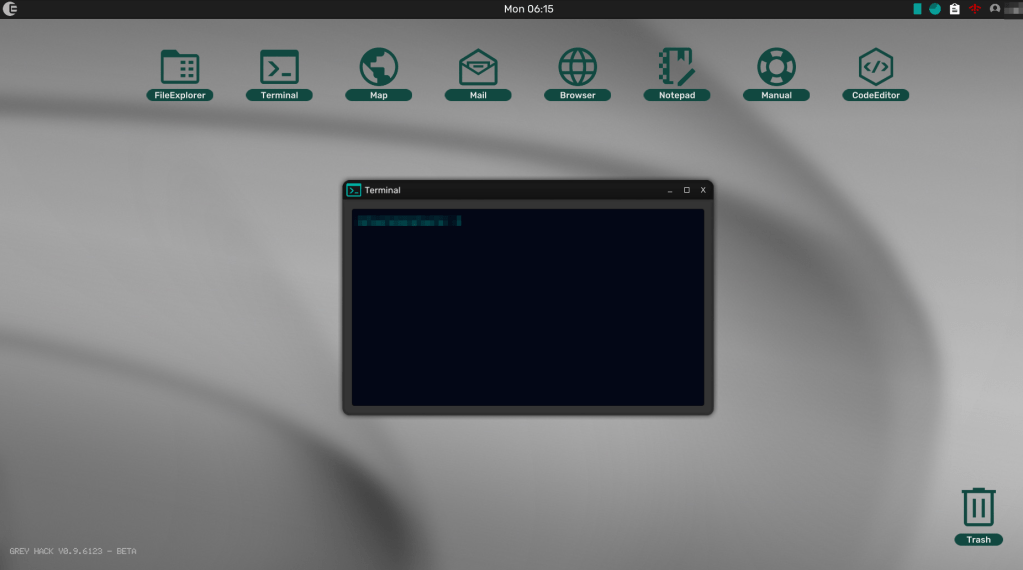
 Tips and Tricks
Leave a comment