
Hi!
Goal for today is to get a list of what countries is trying to much to connect to my server using fail2ban.
I know this is not a good thing to have port 22 open on internet, but sometimes you need that to prove a point.
- Install fail2ban
- Install geoip-bin
- Open port 22 on your server and have that accessible on the internet
- Do some commands to get a list.
We start to install fail2ban and geoip-bin
apt-get install fail2ban geoip-bin

Then we use this one-liner to get the list
cat /var/log/fail2ban.log | grep Ban | awk '{print $8}' | xargs -n 1 geoiplookup { }
First part of this command list the content of the logfiles (cat /var/log/fail2ban.log)
Second part is looking for banned ip in the log file (grep Ban)
Third part only list the column that we want (awk ‘{print $8}’)
Forth part is parsing the result to geoiplookup command (xargs -n 1 geoiplookup { })
You get a result like this:
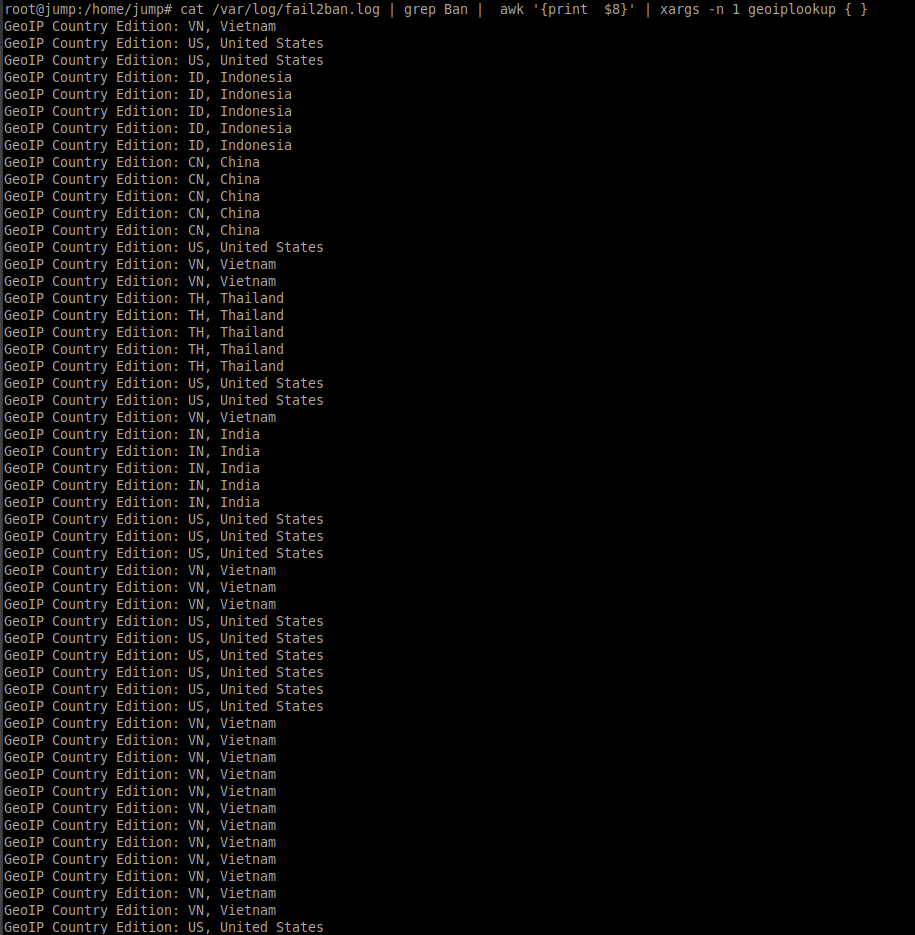
If we want only countries and remove duplicates we can use this one-liner. We add sort and uniq
cat /var/log/fail2ban.log | grep Ban | awk '{print $8}' | xargs -n 1 geoiplookup { } | sort | uniq

This was a short one, but as you all know. Size doesn’t matter!
Keep hacking!
//Roger
 Tips and Tricks
Leave a comment