
Hi!
First post in a long time, it is time to get into Proxmox hypervisor soloution. I did not have any hardware for testing so I did the setup in VirtualBox on my laptop.
- Setup VirtualBox
- Install Proxmox
- Install ceph storage cluster
- Install Proxmox Backup
- Test it
Goal
Here is picture for the goal of the poc setup with proxmox.

Setup VirtualBox
Here I did the setup for the vms that are in the picture above. 4 machines

Networking
Here I created 3 seperated networks. Cluster, Mgmt and VM network.

To Get access to the managment interfaces for proxmox I created som nat rules on the mgmt network. So from the host it will be accessible from https://127.0.0.1:1336 will access host 1 managment port 8006 and so on.

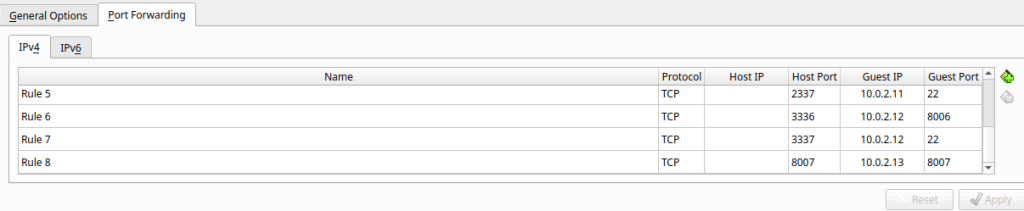
Network on the proxmox servers
NIC1

NIC2

NIC 3

Storage for the proxmox VMs
Created a boot disk and 4 seperated disk for the ceph datatore. This was done on all three proxmox servers. Bootdisk is 20GB and the cephs diska are 5 gb each.

Proxmox setup
Do the installation. It is quite easy to install. The only thing is that you need to check the mac adress on the mgmt netowrk so you decide the right nic to set the ip adress on the proxmox server. Installation link below!
When the installation is done you can access the management thru the nat rules.
Edit networking on every proxmox server so it compares to the virtual servers nic

Connect node 2 and 3 so we then have a cluster

Configure the cephs cluster from the installation link below

Cephs OSD

Cephs Monitor

Create a vm

Backup
Found a really nice guide see below links. Worked perfect!
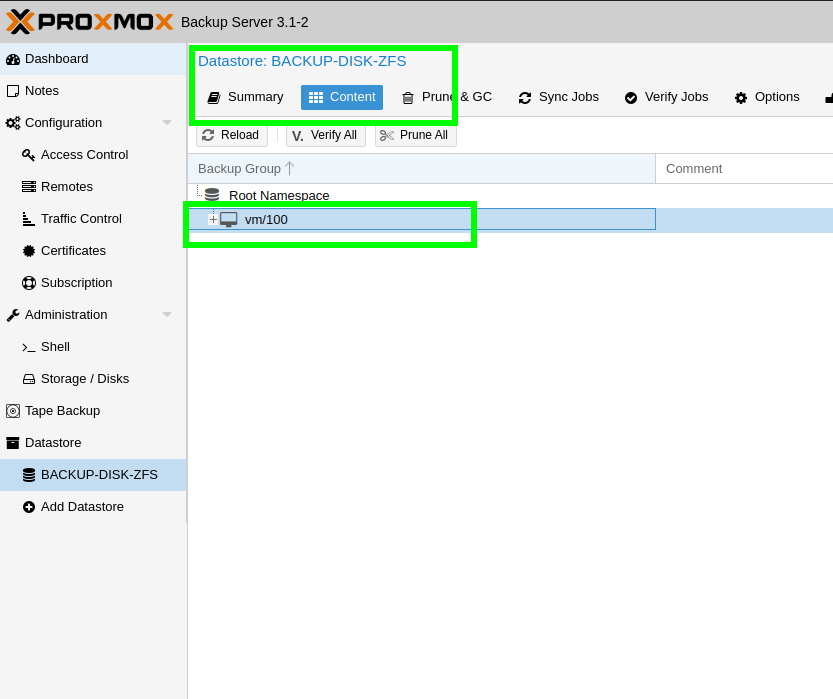
Restore of VM

Conclusion
Everything that I wanted to test was working fine. I would love to try this on real hardware and san connected host. Next thing 🙂
- Move vm between hosts
- Storage move
- Backup
- Restore
- cephs (hci)
Sure, it is not the same as the “big” one. But it is working and I think if you take the education that proxmox deliver you can move to proxmox. Try it out for your self!
I would love to get in things deeper and learn how to set this up i real world. Like best practies and so on. But in the future….
Links
Installation Guide used
https://pve.proxmox.com/pve-docs/chapter-sysadmin.html
Installation guide for backup (not need to invent the wheel again)
https://4sysops.com/archives/proxmox-backup-server-install-and-configure/
And that was all for today.
Keep hacking!
//Roger
 Tips and Tricks
I’ve like to do this remote on a bare metal machine, what’s the best approach? So, basically deploy Proxmox from my laptop without needing to do a bunch of clickops, in other words unattended installation. Any tips?
LikeLike
Hi! I would look inte to pxe boot the servers with minimal ubuntu/debian with ssh support. Then do the installation with ansible. When we take a beer next time we can try it! 🙂
LikeLike
I’m going to give this one a shot. Thanks very much for posting it!
LikeLiked by 1 person