Let’s get the awkward part out of the way: I can’t code. Not in the “I’m a bit rusty” sense. In the “hand me a blank editor and a compiler and the compiler wins” sense. I work in security. I break things write down why they broke and occasionally explain why the thing you just deployed is now answering requests from the internet.
Somewhere along the way I started asking AI to build the tools I wanted. Not hello-world exercises actual applications with parsers, databases, installers, CI pipelines, and the occasional unit test. Nine projects at the time of writing: eight applications and a handbook if we’re being precise. They run. I’ve used them on my own machine. A few are genuinely useful which surprised me more than anyone.
This post is the tour. Each project gets the short version one sentence because that’s all my attention span will guarantee then a screenshot and a little more detail. Every repo is linked. The code is there. The READMEs are extensive. The warranty is not.
Run at your own risk. These are AI-assisted projects tested on my machine and shared as-is. They may break, behave strangely or do something I haven’t thought of. The security tools are for authorised testing only: use them against systems you own or have explicit written permission to test. If something doesn’t work fix it, open an issue or email me at github@bergling.net. All functions may not work that is part of the deal.
How this actually works
I describe what I want. The AI writes a first version. I run it break it paste the error back and repeat until the error changes. The AI writes most of the code. I supply the threat model the edge cases the acceptance criteria and the paranoia. It’s a decent division of labour: the machine has read more documentation than I ever will I’ve broken more systems than it has.
The shelf
HAProxy Workbench
A local-first HAProxy configuration studio.
Learning Lab
Offline chapters and animated simulations for infrastructure.
TimeReport
A timesheet that understands lunch and X-Pause.
TeamWork
Element and Jitsi in one Linux desktop window.
PHP2Shell Checker
Defensive PHP version and CVE checks.
PortScanner
Fast TCP/UDP discovery with a GUI and a CLI.
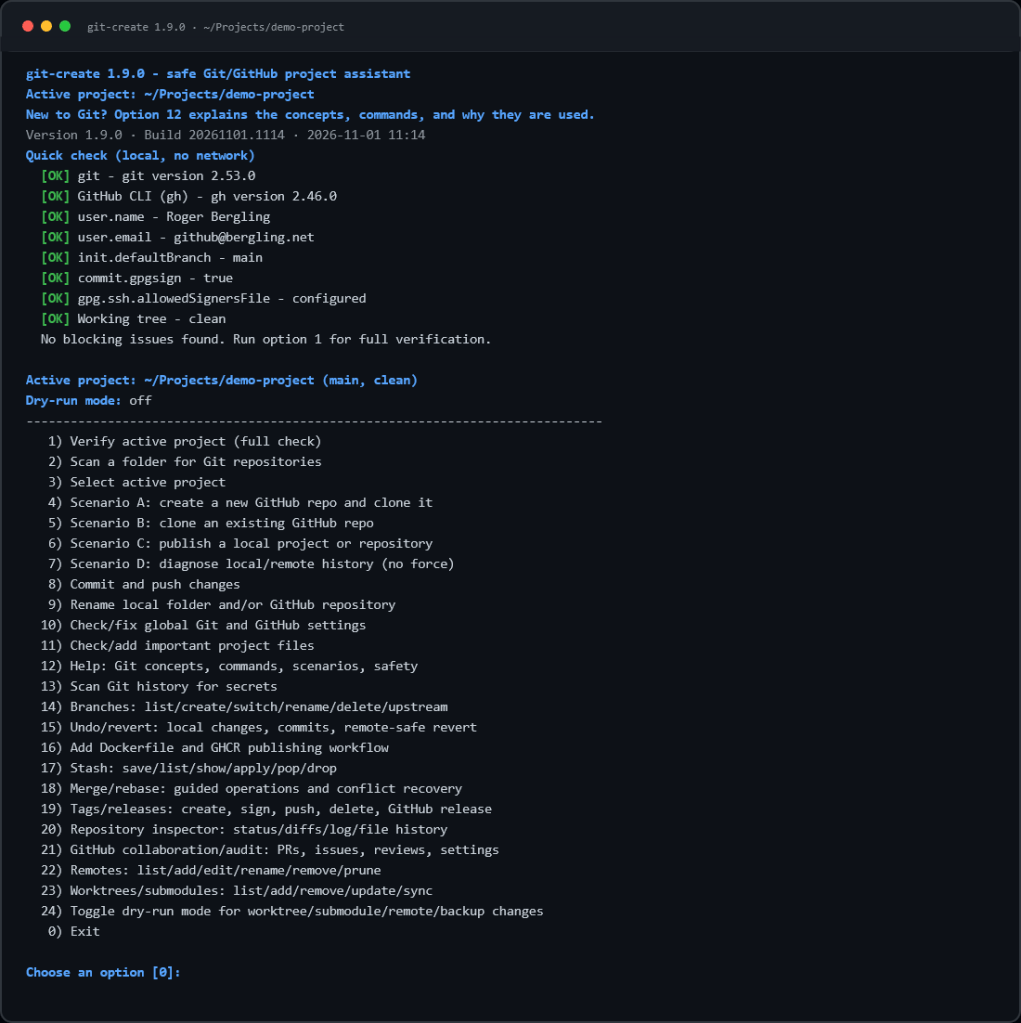
git-create
A menu-driven Git assistant with safety rails.
VulnScanner
A local-first vulnerability management platform.
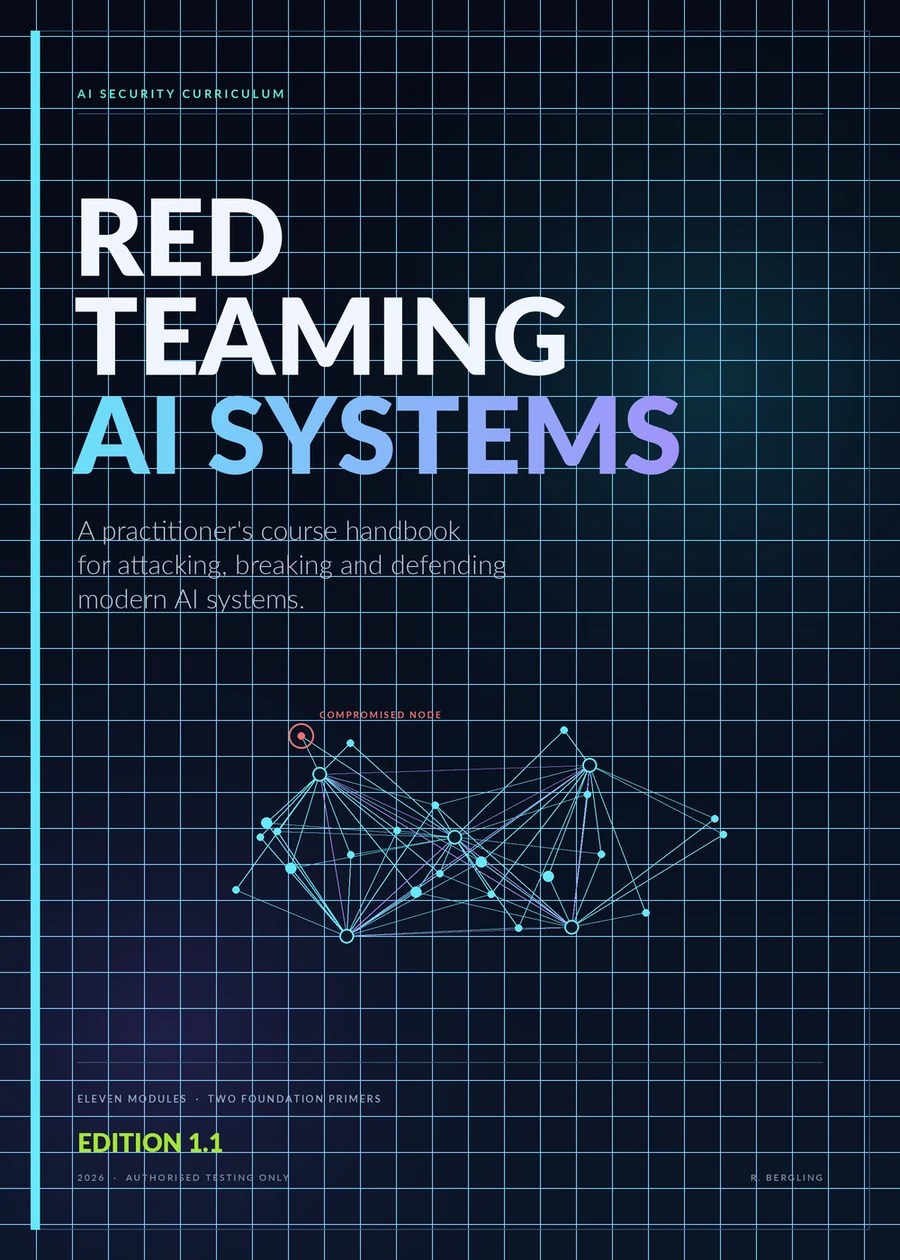
Red Teaming AI Systems Handbook
An eleven-module AI security curriculum.
HAProxy Workbench
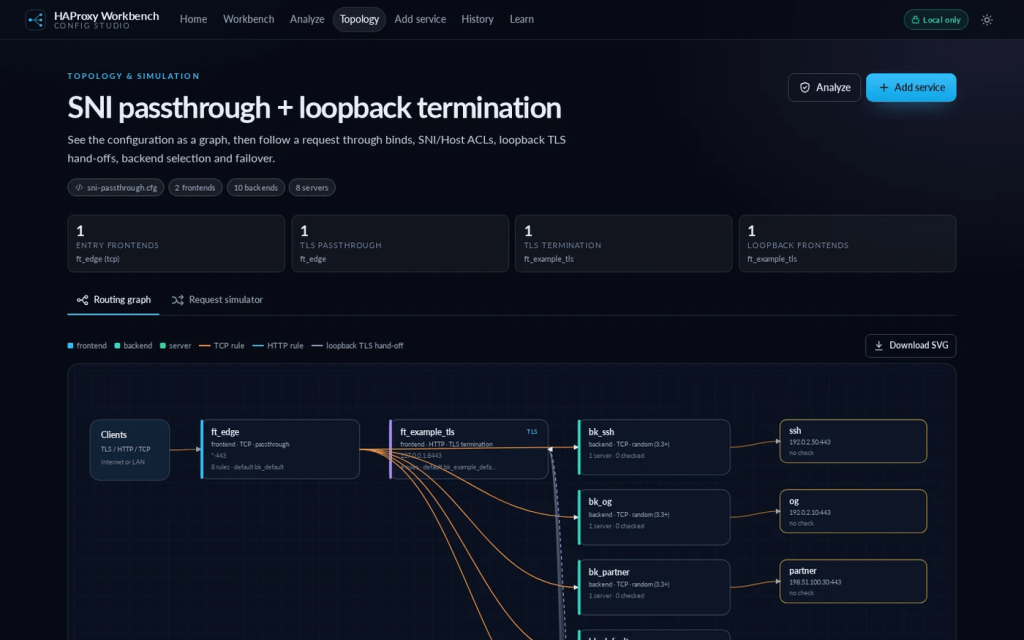
In one sentence A local-first HAProxy configuration studio that imports, explains, analyses, visualises, simulates, and safely edits a config without ever uploading it anywhere.
A little more
HAProxy is one of those tools where a missing check an unbounded timeout or a TLS option in the wrong section can quietly ruin your week. I wanted something that would explain the config while I edited it not after the incident review. Everything runs in the browser: the published container is just a static file server. There is no account system, database, upload endpoint, analytics script or third-party request. The configuration never leaves the browser.
- Imports by file picker, drag-and-drop, or paste; exports a
.cfgfile and keeps a 100-version local history. - Parses
global,defaults,frontend,backend,listen, resolvers, peers, cache, rings, mailers, programs, and more and preserves unknown directives instead of silently deleting them. - The analyser flags unbounded timeouts weak TLS settings, missing certificate sources, client-certificate trust, header injection, inert health checks, runtime socket permissions, and HAProxy 3.x blockers. Every finding gets a line number an explanation and a recommendation.
- The request simulator traces a request through frontends loopback TLS hand-offs, ACL rules, backend selection, server choice and failover. You can mark a server down and watch the failure path.
- Safe fixes show the old and new config side by side with a diff, a score delta and the risk before you apply anything.
- There is also a 10-article learning library and a 58-term glossary because reading the docs is cheaper than learning from an outage.
Stack: JavaScript · static container · browser-only parsing
It is not a replacement for haproxy -c and it says so. It is the tool I wanted while staring at a config at 23:00 wondering which backend was actually receiving traffic.
Learning Lab
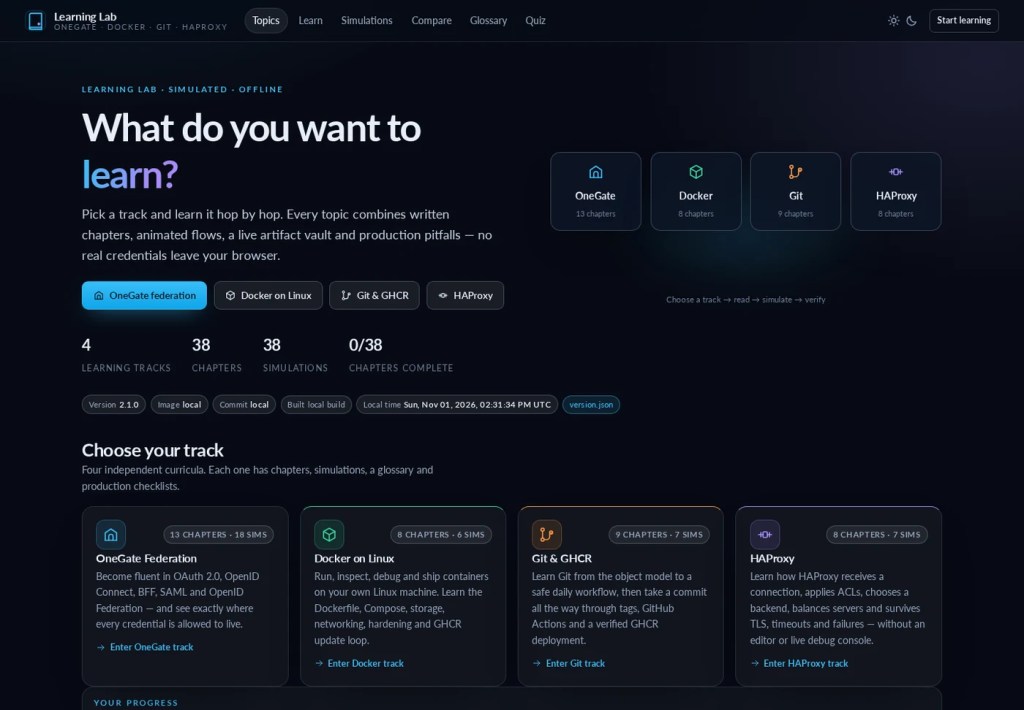
In one sentence An offline learning platform with written chapters animated simulations, and a quiz for OneGate federation, Docker on Linux, Git and GHCR, and HAProxy.
A little more
Reading about a flow is fine until the diagram lies to you. Learning Lab turns each topic into chapters, then into animated simulations you can step through pause and break on purpose. The progress and quiz results stay in your browser. No account, no telemetry, no “sign in to continue”.
- Tracks for OneGate federation (OAuth 2.0, OpenID Connect, BFF, SAML), Docker on Linux, Git and GHCR, and HAProxy.
- Animated simulations for the flows that matter plus a live artifact vault so you can inspect what each step produces.
- Quizzes with local progress because apparently I need a gold star to keep going.
- No build step and no runtime dependencies. A small Python stdlib launcher, an optional Node launcher and a Docker Compose file that pulls the published multi-arch image from GHCR.
Stack: static HTML/CSS/JS · Python stdlib server · Docker/GHCR
I learn by watching a flow pausing it and asking “what happens if I delete this bit?” The simulations let me do that without wrecking a real federation or a real container host.
TimeReport
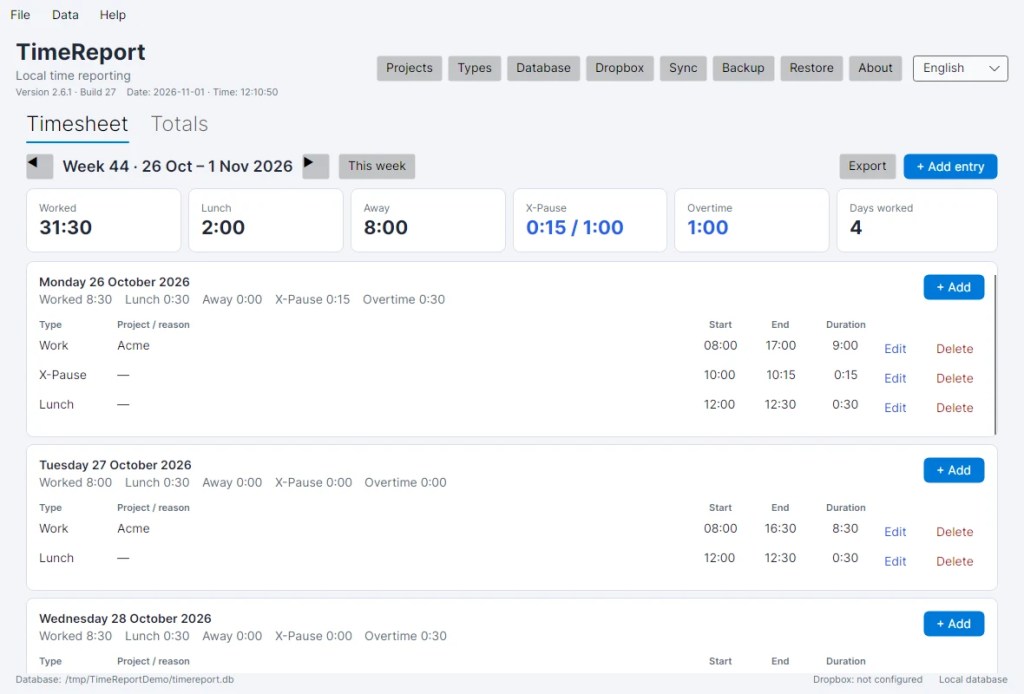
In one sentence A local-first time report for Linux and Windows that tracks work, lunch, away time and X-Pause then exports the week to Excel.
A little more
Timesheets are a tax on people who actually do the work. I wanted one that understands that lunch is not work that “away” is not holiday and that X-Pause has rules. This is the most conventionally “app-like” project on the list: C#/.NET 10, Avalonia self-contained single-file binaries for Linux and Windows.
- Work, lunch, away and X-Pause entries with multiple entries per day, projects and custom entry types.
- Lunch is deducted when it overlaps a work entry. X-Pause is tracked separately: Monday–Friday, 15-minute steps, maximum one hour per week and it must sit strictly inside a work entry.
- Daily, weekly, monthly, yearly and all-time totals configurable overtime thresholds and an Excel export with summary entries and totals.
- SQLCipher encryption at rest encrypted backups restore with automatic safety backups and optional Dropbox sync with client-side AES-GCM encryption.
- English and Swedish light/dark/high-contrast themes keyboard shortcuts and a live build stamp because I like knowing what I’m running.
Stack: C# · .NET 10 · Avalonia · SQLCipher · SQLite
It has no account and no telemetry. Optional Dropbox sync and update checks are the only network features. The rest is a local database and a surprisingly opinionated lunch rule.
TeamWork
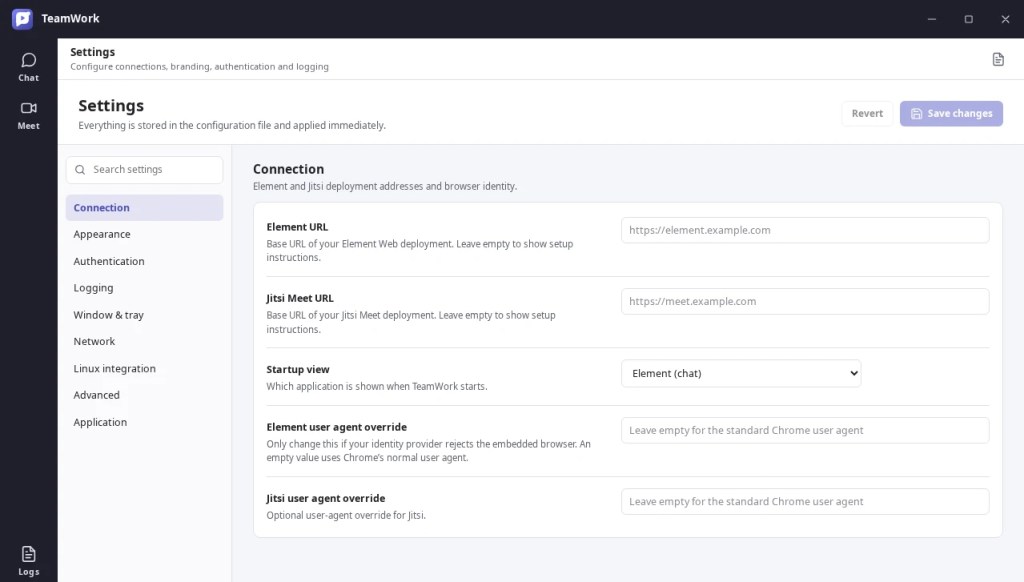
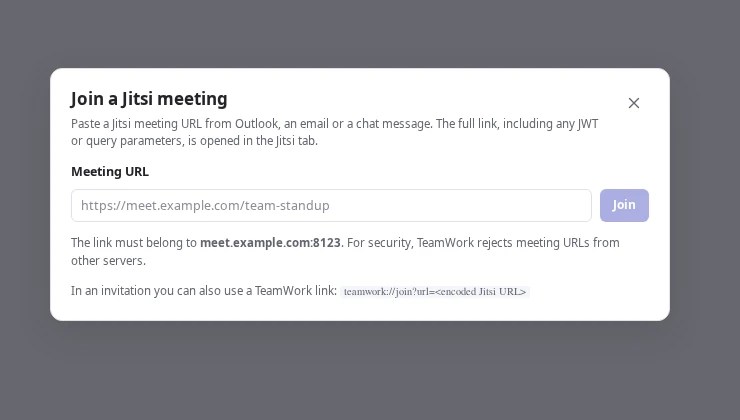
In one sentence A Teams-inspired Linux desktop client that puts Element (Matrix) and Jitsi Meet in one window with deep links logging and proper Linux packaging. This is not tested yet. Working on that! 🙂
A little more
This one is deliberately not a reimplementation. Element and Jitsi are large fast-moving web applications built on Matrix and WebRTC. Rewriting them natively would be a multi-year project that permanently lags upstream. TeamWork hosts the official clients in isolated WebContentsView instances and adds a consistent desktop frame configuration, logging and Linux integration around them.
- Element and Jitsi side by side each in its own persistent isolated browser session. Jitsi is lazy-loaded only when you open Meet
- Web-based authentication is preserved, including SAML and OpenID redirect flows and login popups.
Ctrl+Jandteamwork://join?...deep links, plus a Chrome/Edge extension that converts ordinary Jitsi and Matrix links into TeamWork links.- Wayland screen sharing with PipeWire, X11 fallback a screen/window picker, proxy support, and optional tray integration.
- AppImage,
.deb, and.rpmpackages from one codebase, with all settings in a single JSON file.
Stack: Electron · TypeScript · Element Web · Jitsi Meet
The pitch is simple: two apps, two windows, too many tabs. TeamWork is the “one window” version. The fact that it also supports the complete Element and Jitsi feature sets is a side effect of not pretending to be them.
PHP2Shell Checker
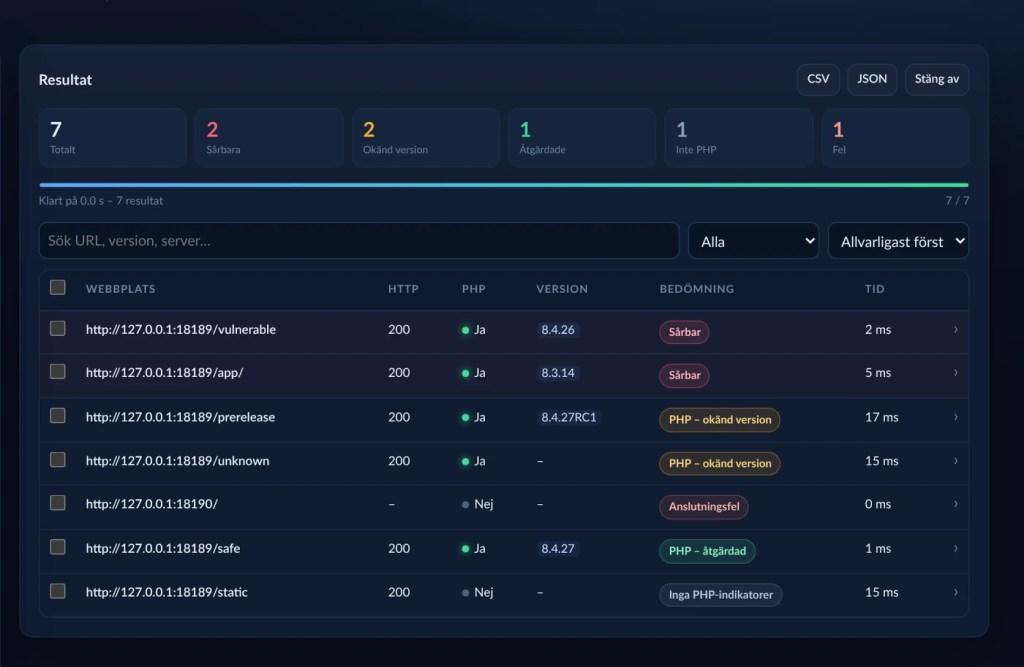
In one sentence A defensive scanner with a GUI that checks whether a site runs PHP fingerprints the version and tells you if it is exposed to PHP2Shell (CVE-2026-109618 and CVE-2026-109619).
A little more
When a PHP CVE lands the first question is always the same: “Are we even running PHP, and which version?” This tool answers that in a few minutes with a local web UI and a single Go binary for Windows and Linux. No Python, Java, or Go installation is needed to run the release build.
- Checks whether a site uses PHP performs deep version analysis, and shows the evidence sources behind each verdict.
- Flags affected versions unknown versions connection failures and sites with no PHP indicators separately because “unknown” is not the same as “safe”.
- Also flags CVE-2026-115560 (
session.upload_progress) as a separate recommendation. - Does not exploit anything. It sends normal GET requests and reports. It was built for defenders who need an answer, not a payload.
- CSV and JSON export configurable timeout/concurrency redirect following and a documented local API.
Stack: Go · single binary · local web UI
The README is in Swedish, mostly because I wrote the threat model in the language I swear in. The scanner itself is quiet, boring, and defensive exactly what you want in a tool you point at your own estate.
View PHP2SHELL-CHECKER on GitHub →
PortScanner
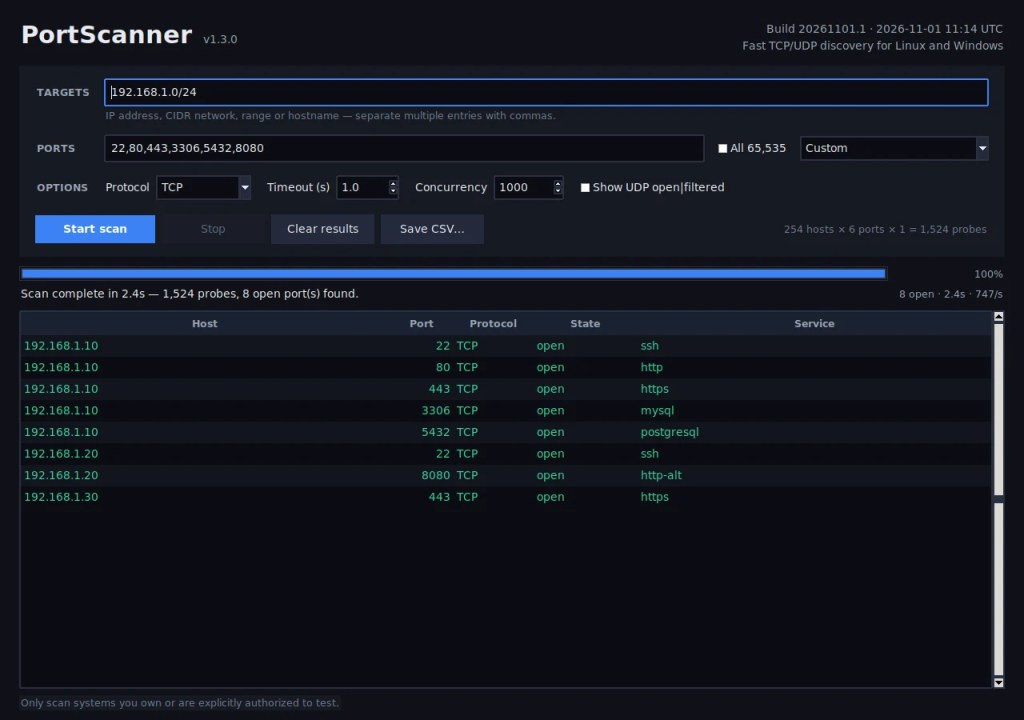
In one sentence A fast TCP/UDP port scanner for Linux and Windows 11 with a GUI a headless CLI and no root privileges required.
A little more
Sometimes you just want to know what is open without assembling a flags poem. PortScanner uses asynchronous connect scans so it starts immediately and does not need root privileges. Enter one or more targets choose ports and protocol, and watch results appear live.
- Single IPs, CIDR networks, address ranges, hostnames, or a mixture — for example
192.168.1.0/24, 10.0.0.5-10. - TCP, UDP, or both; custom port lists, ranges, “common ports”, “web servers”, “well-known”, or all 65,535 ports.
- Up to 5,000 probes in flight, configurable timeout, live progress and scan rate, sortable results, and CSV export.
- A headless
scanmode with text, CSV, or JSON output, automation exit codes, and--fail-on-open. - No third-party runtime dependencies. A single-file Linux executable and self-contained Windows 11 executables are included.
Stack: Python standard library · Tkinter · asyncio
It is not trying to replace Nmap. It is trying to answer “what is open on this box?” before you have finished reading the Nmap manual. There is a time and a place for both.
git-create
In one sentence A menu-driven Git and GitHub assistant for Linux that walks you through creating, publishing, fixing, and undoing repositories without letting you shoot yourself in the foot.
A little more
I know enough Git to be dangerou ,which is the worst amount. git-create is a single Python file with no third-party dependencies that checks the things I forget identity, signing, default branch, remotes, secret files and then walks me through the operation with an explanation.
- Startup quick check for
git,gh,user.name,user.email,init.defaultBranch, commit signing, allowed signers, and working-tree state. - Scenario-based flows: create a GitHub repo and clone it, clone an existing repo, publish a local project, or diagnose local/remote history.
- Branches, stash, merge/rebase with conflict recovery, tags and releases, worktrees, submodules, a repository inspector, and GitHub PR/issue collaboration.
- Scans Git history for secrets, checks important project files, and has a dry-run mode for the operations that deserve one.
- Deliberately conservative: no
git push --force, no automatic history rewriting, no automatic merge/rebase of diverged histories, and no silent commits containing.env, keys, or tokens.
Stack: Python 3 · single file · Git + GitHub CLI
It teaches while it works. That is the feature I use most, because the goal was never to avoid learning Git it was to stop learning it during an incident.
VulnScanner
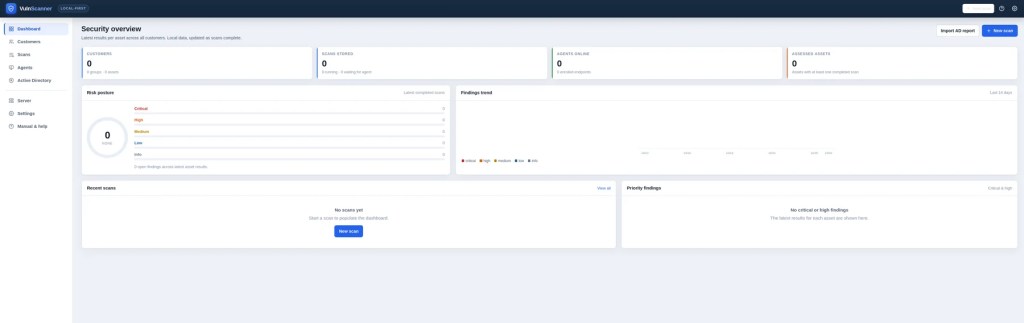
In one sentence A local-first vulnerability scanner and management platform that keeps customers, asset groups, assets, scans, and findings in one SQLite database and one web interface.
A little more
Spreadsheets and five terminals are not a vulnerability management program. VulnScanner is designed for a single analyst workstation or a small authorised team: one local database, one web interface, and no separate database server or inbound firewall rules on scanned endpoints.
- Websites and web applications: HTTP security checks, exposed files, security headers, cookies, forms, and optional active checks.
- Servers and network services: TCP port discovery, service banners, risky ports, built-in web checks on discovered HTTP ports, and optional Nmap/NSE enrichment.
- Authenticated Linux and Windows hosts over SSH/WinRM: patch level, package CVEs, configuration, and inventory, in addition to unauthenticated network checks.
- Local and GitHub source repositories: secrets, dependency vulnerabilities, source review, and optional Gitleaks, Semgrep, osv-scanner, or Nuclei.
- Linux and Windows endpoints through an outbound-polling agent, plus Active Directory configuration from a read-only JSON report.
- HTTPS on loopback with a self-signed certificate by default, a salted-hash dashboard password, encrypted credentials, scan guardrails, and a full user manual at
/manual.
Stack: Python · FastAPI/Uvicorn · SQLite · optional Nmap/Nuclei/Trivy tooling
Authorised use only. It is a management platform not a magic wand: it still needs someone to read the findings and decide what matters. That part remains stubbornly human.
Red Teaming AI Systems Handbook
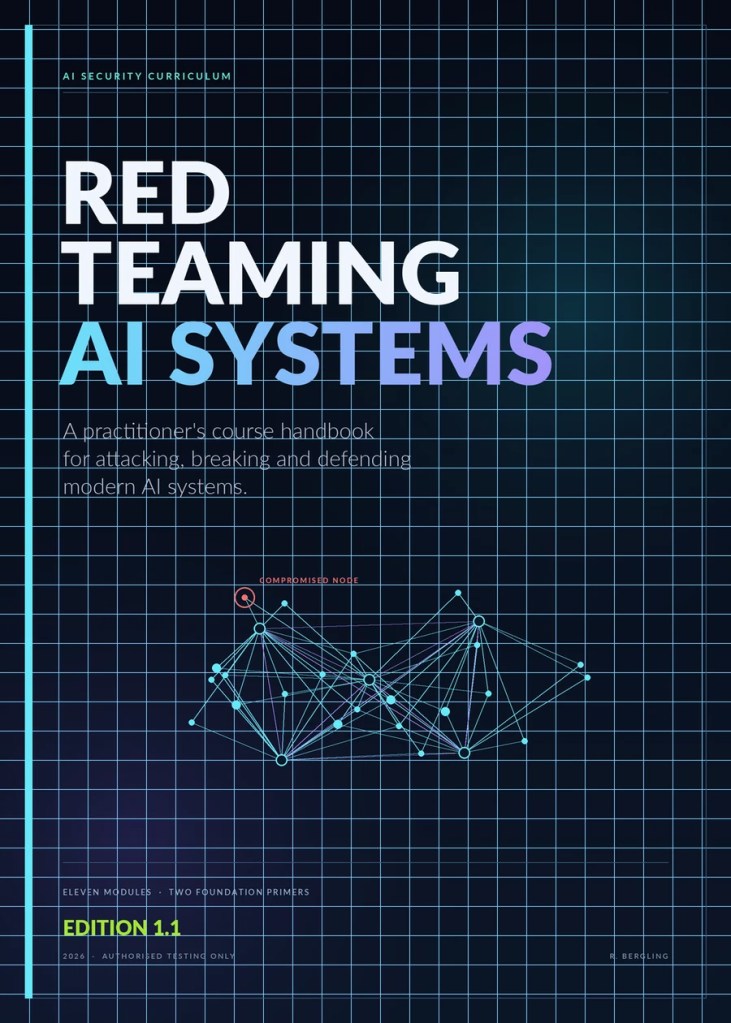
In one sentence An eleven-module practitioner’s handbook for red-teaming LLMs autonomous agents RAG pipelines, MCP tool surfaces, and the infrastructure underneath them.
A little more
AI systems fail in new ways and inherit all the old ones. This handbook is the course I wanted when I started: every module has a plain-language short version and a technical deep dive covering architecture, attack surface, evidence, detection, and controls.
- Foundations: how AI reads (tokens and transformers) and how neural networks learn.
- Reconnaissance, agent attacks, multi-agent systems and A2A protocols, RAG pipelines, embeddings, and MCP/tool surfaces.
- Supply chain attacks, AI infrastructure and deployment exploits, threat modelling for AI-enabled targets, and a capstone that assembles the pieces.
- Appendices with lab build instructions, tooling, framework mappings, a telemetry schema, glossary, references, and reporting templates.
- Markdown and PDF editions, an MIT licence, and a build pipeline with validation, tests, dependency auditing, and CI.
Stack: Markdown + HTML → PDF (WeasyPrint) · Python build scripts · CI
Authorised testing only. The techniques are for systems you own or have explicit written permission to test. The ethics and authorisation chapter is not decorative; read it first.
What I learned
Nine projects in, a few things have become difficult to ignore:
- AI is a fantastic pair programmer and a terrible project manager. It will build the wrong thing beautifully, at speed, with tests.
- The hard part is not code. It is deciding what “done” means, what “safe” means, and who fixes it at 2 a.m.
- Tests are not optional when you cannot read the code. Neither are READMEs. If you cannot verify it, you are trusting a very confident autocomplete.
- The last 10% is 90% of the work. Packaging, installers, error messages, and the one Windows machine that behaves differently.
- Writing the README is part of building the tool. If it is not documented, it does not exist.
- I still cannot code. But I can describe a problem precisely, test a solution honestly and admit when it is wrong. It turns out that is most of the job.
Found a bug?
Fix it, fork it, or send me an email. If it works on your machine, congratulations that is one of us. All nine projects live on GitHub, and each README explains the sharp edges better than this post can. More is comming!
Browse all projects on GitHub →
Email: github@bergling.net
That was all for toaday!
Keep hacking!
//Roger


Leave a Reply