Why I created a Dynamic Session Cookie Script for OWASP ZAP and script for BurpSuite Community Edition
When performing security testing with OWASP ZAP or Burp Suite especially when using features such as Resend, Fuzzing or repeated API requests session management can become a challenge.
Some applications regularly refresh or rotate their session cookies. In certain cases both the cookie name and it’s value change. However ZAP/BurpSuite may continue sending an older cookie stored in the original HTTP request.
This can cause requests to fail with responses such as 401 Unauthorized or 403 Forbidden even though the user has a valid session in the browser.
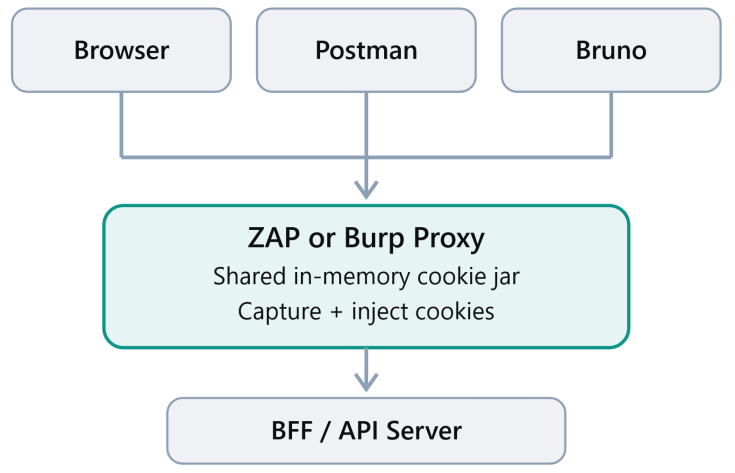
To address this problem I created a custom HTTP Sender script / Python Script that captures session cookies from HTTP responses and automatically injects the latest captured cookies into outgoing requests.
The goal is to reduce the need to manually copy and replace session cookies during authorized security testing.
The script does not perform authentication or trigger session refreshes itself. It relies on the application or browser to refresh the session and on those responses passing through ZAP/BurpSuite.
Yes, the picture i AI generated. I have only paint in my computer.
Important Security Disclaimer Use at Your Own Risk
This script is experimental and is not a fully secure or production-ready solution.
The script uses a simplified in-memory cookie management mechanism and does not fully implement browser security controls or cookie-handling standards.
Depending on its configuration and implementation it may introduce several security risks including:
- Session cookie leakage: Cookies could potentially be forwarded to unintended hosts or endpoints.
- Sensitive information exposure: Session tokens may be written to logs, exposing authentication credentials.
- Improper cookie handling: Cookie expiration, domain restrictions, path restrictions, and other security attributes may not be handled correctly.
- Session mixing: Cookies from different authenticated sessions or users may become mixed during testing.
- Authentication failures: The script cannot guarantee that the latest captured cookie is valid or automatically recover an expired session.
I strongly recommend using this script only in controlled, authorized testing environments. Avoid using it with production accounts sensitive information or systems where accidental session exposure could have serious consequences.
Disclaimer: This script is provided for educational and security-testing purposes only, without any warranty or guarantee of security, reliability, or suitability for a particular application. You are responsible for reviewing and testing it before use.
Final Thoughts
The purpose of this script is to make authenticated security testing in OWASP ZAP more convenient when dealing with dynamically changing session cookies.
It can reduce manual work when resending requests or testing API endpoints but convenience should never come at the expense of security.
Treat this script as a starting point for experimentation not as a complete or secure session-management solution.
Use it at your own risk, understand what it does, and always test responsibly.
Link to scripts
https://github.com/RogerBergling/BurpSuite
https://github.com/RogerBergling/ZAP-Proxy
ZAP Proxy
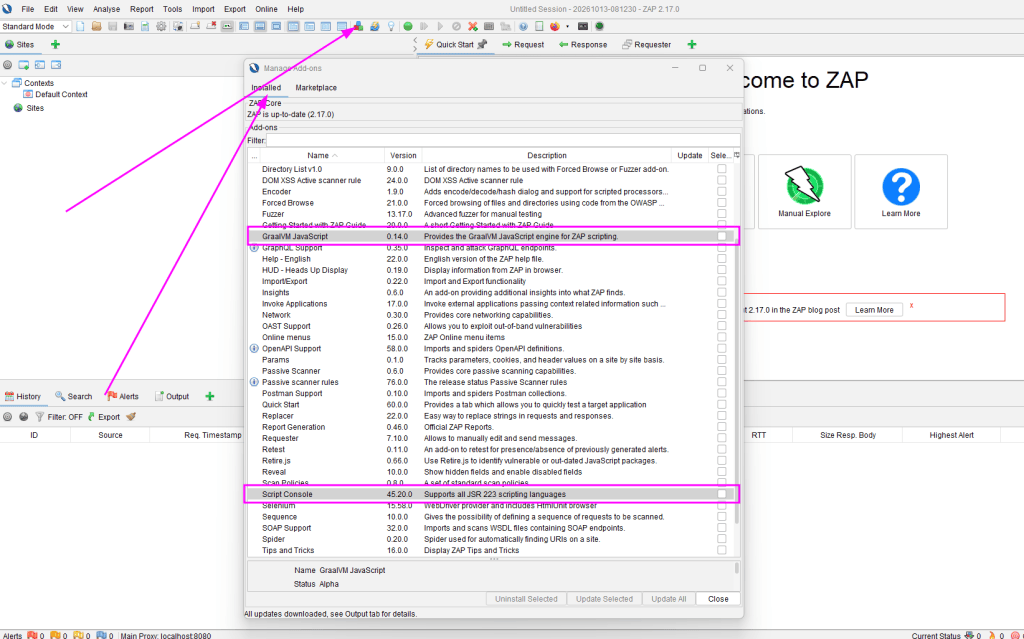
I have started with a fresh installation of ZAP proxy 2.17
In the ZAP Desktop application:
- Look at the toolbar at the top of ZAP.
- Click the Manage Add-ons button (the icon with stacked colored boxes).
- Select the Installed tab.
- Look for these exact names:
- Script Console
- GraalVM JavaScript
They might already be installed in which case they will not appear in the Marketplace.
- In the same window click Check for Updates.
- Open the Marketplace tab.
- Look for Script Console and GraalVM JavaScript.
- Select them and install.
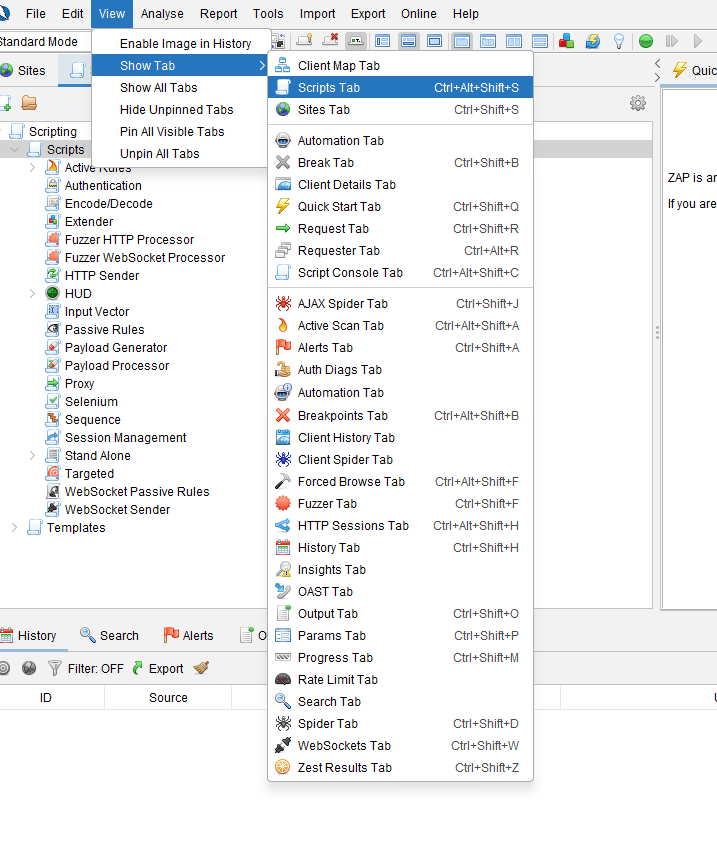
Show Script Tab
Ctrl+Alt+Shift+S
or
View
Show Tab
Script Tab
Add the script
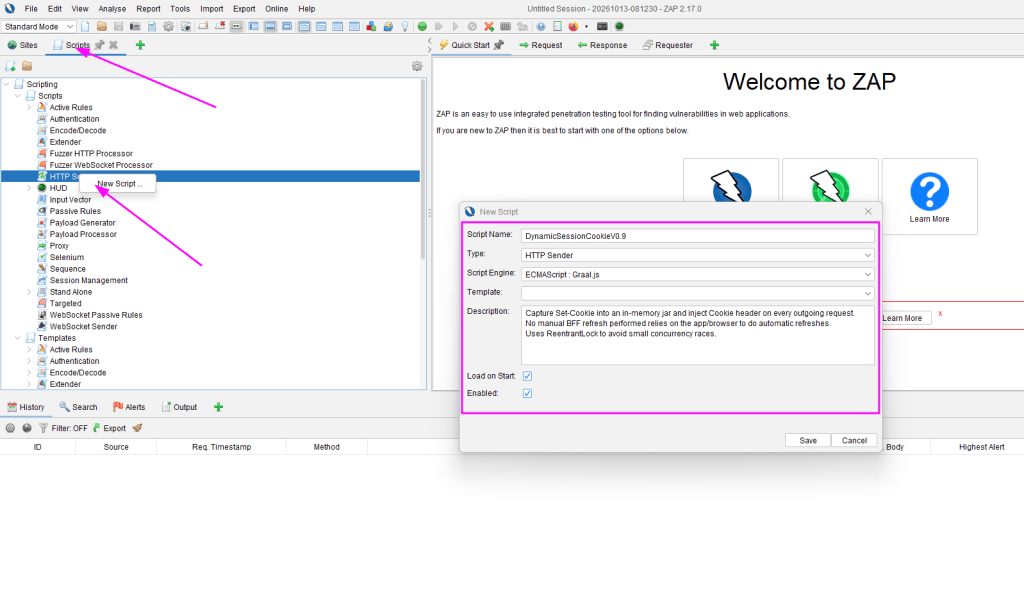
Paste in the script
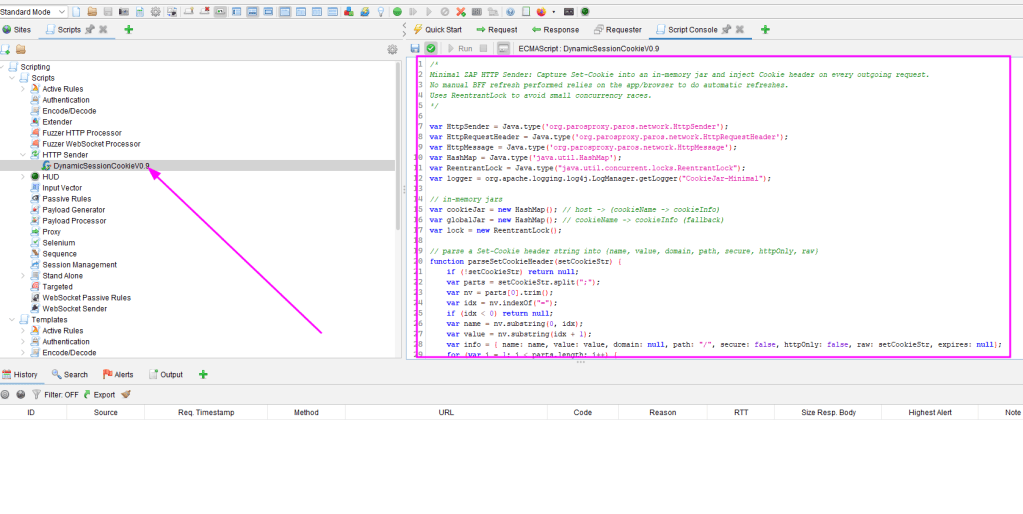
Save the Script:
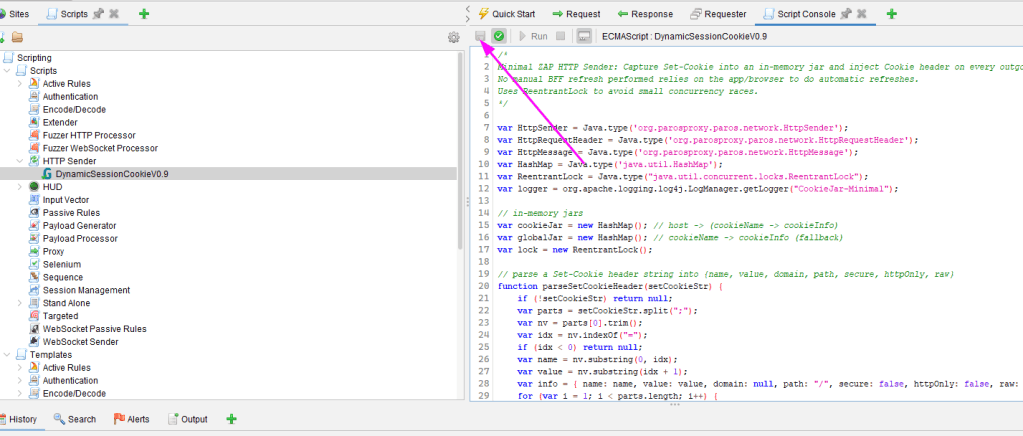
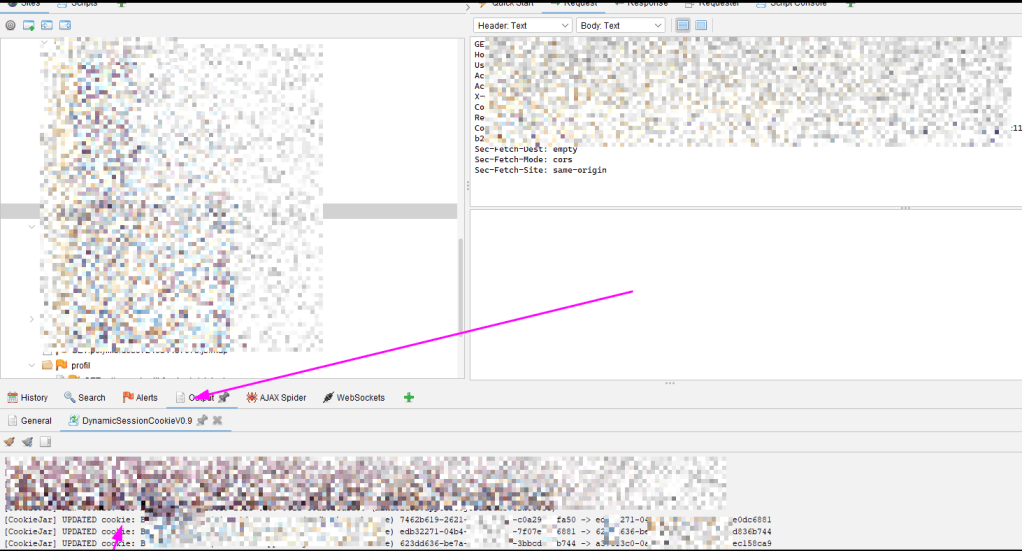
Now the cookies gets updated when fuzzing and resends requests
Burp Suite
Install it in Burp Community Edition or if you have the money use Burp Suite Pro 🙂
Step 1 Install Jython (Google it)
Download the Jython standalone JAR from Jython’s official website. Burp requires this to run Python extensions.
Step 2 Configure Burp
Open Settings -> Extensions -> Python Environment and select the Jython standalone JAR.
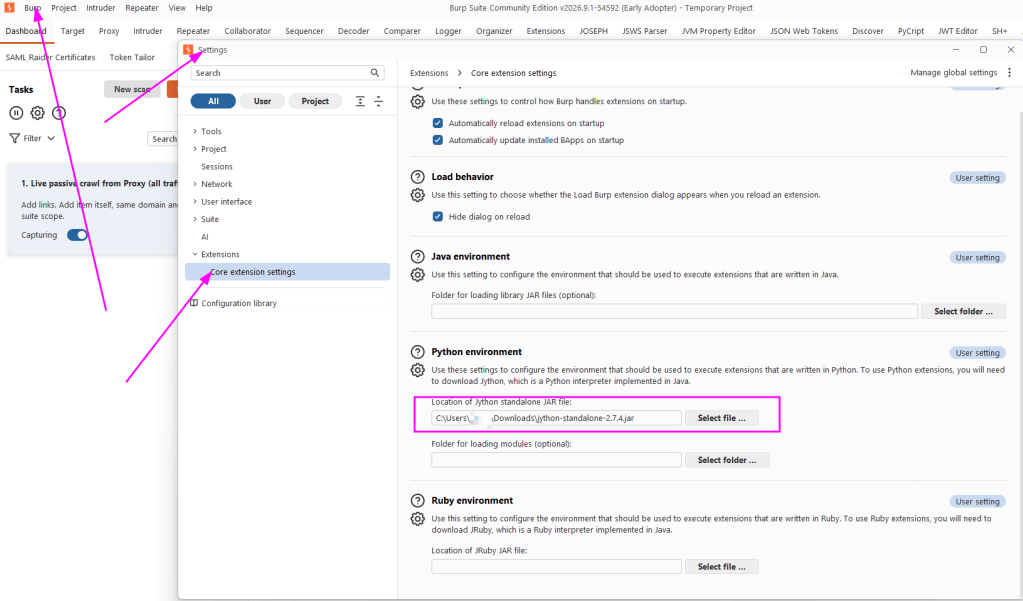
Step 3 Create the cookie script burp_cookie_sync.py
Save it localy or where burp can access it
Step 4 Load the script
Go to Extensions -> Installed -> Add choose Python as the extension type, and select burp_cookie_sync.py.
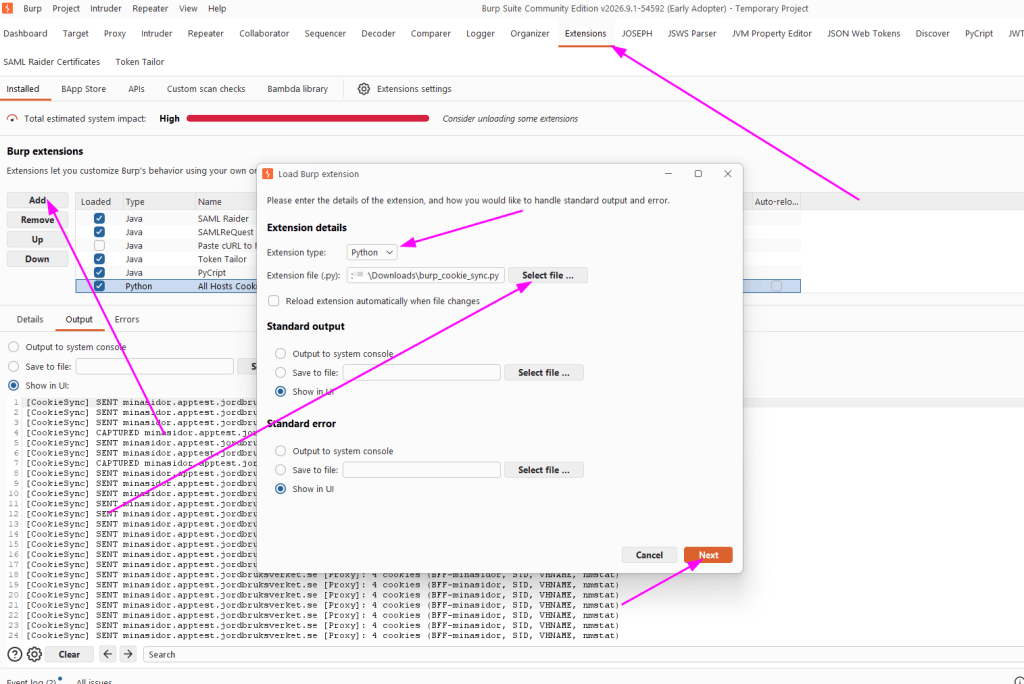
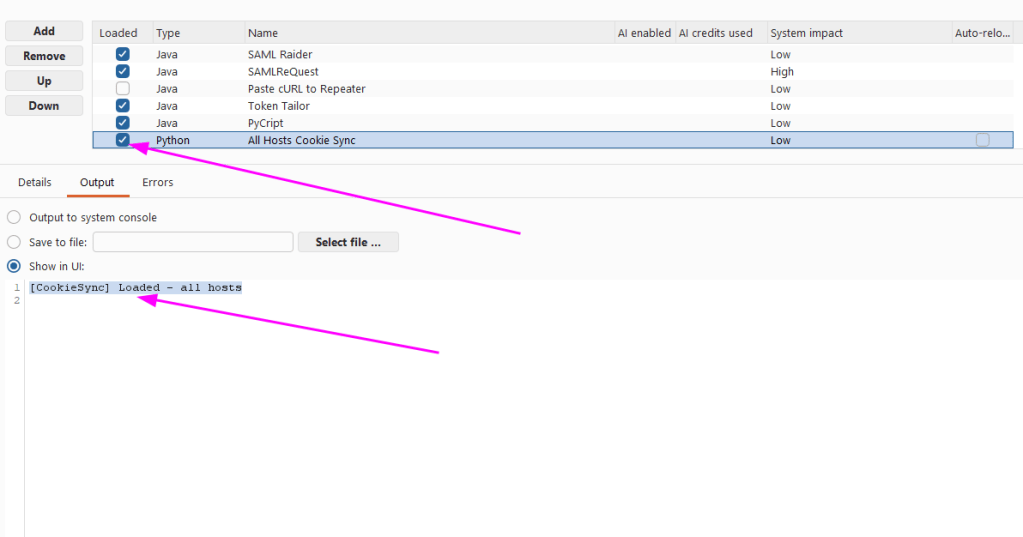
Step 5 VerifyCheck the extension’s Output and Errors tabs. You should see a message such as [CookieSync]
And if you are using Bruno or Postman use ZAP or Burp Suite as proxy the you get all request in ZAP/BurpSuite if you want.
Thats all for tonight!
Keep hacking!
//Roger


Leave a Reply